Smart Home Doesn't Mean Dumb Decisions: The Architect's Guide to Tech That Actually Lasts

Let's talk about something people don't want to hear during spring renovation season, especially with Apple running smart home ads on every surface that can display an image: most "smart home" tech is a liability, not an asset.
I say this as someone who spent years designing buildings. I understand what it means for a system to last. And I'm watching people gut their kitchens, rewire their living rooms, and drill through perfectly good walls to accommodate gadgets that will be bricked by a server-side API deprecation in 2028.
So before you buy a single hub, a single smart switch, a single "voice-activated" anything—let's apply some architectural thinking to this.
The Obsolescence Problem Is Real, and It Has a Timeline
Here's something the marketing copy won't tell you: many WiFi-dependent smart home devices have a functional lifespan well under a decade before the company kills the app, shuts down the cloud service, or stops supporting the firmware. After that, you have a $200 paperweight.
This isn't speculation. Insteon went dark in 2022. Wink started charging a $5/month ransom to keep your existing devices functional—devices you'd already paid for. SmartThings has done multiple major platform pivots that broke integrations people had spent weekends setting up.
The difference between tech that lasts and tech that doesn't comes down to where the intelligence lives: local vs. cloud.
WiFi-only devices that require a proprietary app to function? Cloud-dependent. The company goes under, pivots, or decides your hardware is "legacy"—your devices become junk.
Z-Wave and Zigbee are different. They're mesh protocols that communicate device-to-device. The standard is maintained by an alliance, not a single company. Z-Wave's backward compatibility spec goes back 15+ years—in general, a Z-Wave switch from 2010 should communicate with 2024 devices, though always verify generation compatibility before purchasing. That track record is the result of engineering discipline, not marketing.
Matter (the newer open standard backed by Apple, Google, Amazon, and Samsung together) is also worth watching—not because of the tech giants endorsing it, but because interoperability standards designed by committees are, paradoxically, often more durable than proprietary ecosystems. Matter devices work locally and across platforms. That matters.
What to avoid during any renovation: anything that says "works with [single company] ecosystem only." That's a lease, not a purchase.
Tech That Solves Actual Problems (vs. Tech That Just Looks Cool in a Listing Photo)
There's a class of smart-ish tools I genuinely use during renovations. None of them are "smart home" in the Instagram sense. They solve real diagnostic and structural problems.
Thermal imaging cameras. This is the one I recommend to everyone, without hesitation. A basic thermal camera (the FLIR One Pro or a budget Seek Compact—verify current pricing, they've been in the $200–$300 range) will show you insulation gaps, air leakage, moisture intrusion, and radiant heat patterns that you cannot see with the naked eye. During a wall-open renovation, this is invaluable. You're not guessing where your insulation is failing—you're seeing it.
I found a bathroom exhaust fan that was dumping humid air into the wall cavity instead of the exterior. The moisture damage was invisible until I ran the thermal camera across the drywall and saw the temperature differential. Caught it before mold set in. That camera paid for itself in that single afternoon.
Soil moisture sensors for outdoor projects. If you're building a raised bed system, a deck garden, or doing any outdoor drainage work, a basic capacitive soil sensor (under $20 a unit at the time of writing) gives you actual data rather than guesswork. These are agricultural tools, not smart home gadgets—they run on simple analog voltage and tend to outlast the app-dependent alternatives by years.
What I'm more skeptical about: "smart" plugs that track energy usage (useful for exactly three days before novelty wears off), ambient display devices that show you your electricity bill in real time (the bill doesn't change because you can see it more often), and anything with a motion-activated light sensor that costs more than $25 (they've been in hardware stores for $12 since 1998).
The Subscription Trap: You Don't Own It, You're Renting It
This is where I want you to slow down and read carefully.
A growing category of smart home tech operates on what I'd call the "printer ink" business model: the hardware is subsidized or reasonably priced, and the actual value extraction happens through ongoing subscription fees. Ring cameras charge a monthly fee for video history and certain features. Nest integrates with Google account cloud storage. SimpliSafe's professional monitoring runs in the $20–$30/month range—verify current plans before purchasing, as these change frequently.
The question to ask before any smart home purchase: "Does this device function fully without a subscription?"
If the answer is no—or even "it works but with limited features"—you're not buying a device. You're buying into a recurring obligation.
Home Assistant is the honest answer to most of this. It's free, open-source home automation software that runs on a Raspberry Pi or a used mini PC. By default, it runs entirely on your local network—no cloud connection required to control your devices. (There is an optional cloud service for remote access, but it's not needed for local operation.) It integrates with Z-Wave, Zigbee, Matter, and hundreds of other protocols. The core software is free; what you pay for is hardware and, optionally, the convenience add-ons.
Is it more setup than plugging in a Nest? Yes. Does it require you to read documentation? Yes. Is that a reasonable trade for not paying $20/month forever and retaining actual ownership of your system? Also yes.
How to Actually Wire Smart Tech During a Renovation (The Planning Matters More Than the Product)
If you're opening walls—for any reason, renovation, repair, addition, plumbing access—this is your window. Here's what to do before you close them back up:
Run ethernet. I cannot stress this enough. Cat6 is cheap per foot (check current bulk pricing at your local electrical supply house—it varies). Run it to every room, especially rooms where you might want a TV, a router access point, a security camera, or a work-from-home setup. Hardwired ethernet is more reliable, faster, and more secure than WiFi for anything that stays in one place. You will not regret it. You will absolutely regret not doing it.
Install smart switches instead of smart bulbs. Smart bulbs are a trap. They require the physical switch to always be "on," which means anyone who flips the wall switch breaks the circuit and renders your "smart" bulb dumb until you re-pair it. Smart switches replace the wall switch itself and work with any bulb—including the cheap ones. Put the intelligence in the wall, not the bulb.
A note on protocols here: not all smart switches use the same radio. Leviton makes solid Z-Wave switches with a long track record. Lutron Caseta—another reliable brand—uses their proprietary Clear Connect RF protocol, not Z-Wave. It's a good system with strong reliability, but it's worth knowing the distinction: Clear Connect requires a Lutron hub, whereas Z-Wave integrates with any Z-Wave controller. Choose based on what hub you're committing to, not just the brand name.
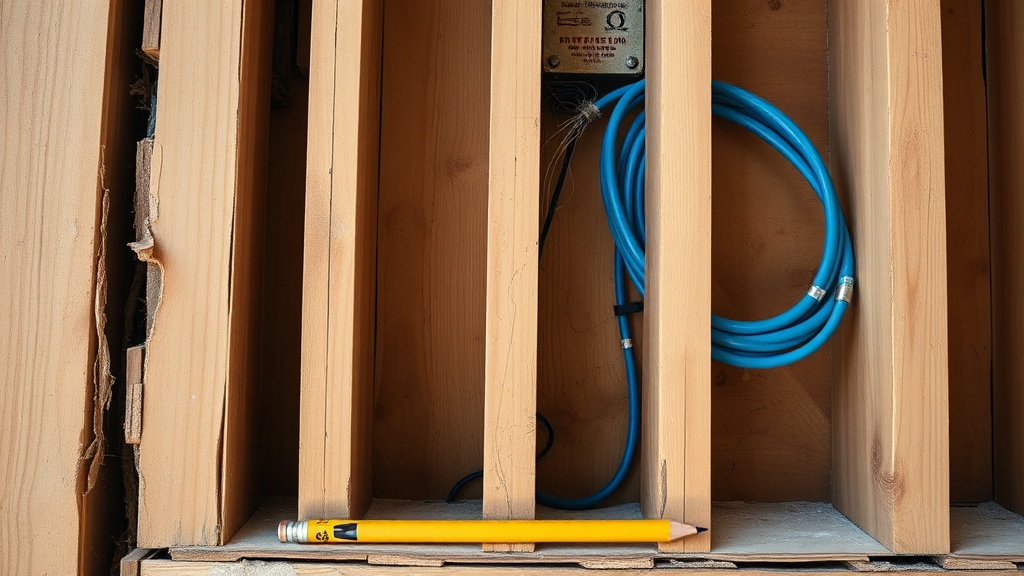
Rough in for conduit if you're uncertain. If you're not sure where you want tech to go but you're opening a wall anyway, run a section of 1" EMT conduit before you close up. It's cheap. It lets you pull new cables in the future without reopening the wall. Architects do this for commercial builds constantly—it's called "future-proofing the rough-in" and it costs almost nothing during a renovation versus thousands during a retrofit.
3-wire for smart switches. Standard light switch circuits are often wired with 2-wire (hot and neutral, with ground). Many smart switches require a neutral wire to power their electronics. If you're running new wire during a renovation, always use 3-wire (14/3 or 12/3 depending on your circuit) to give yourself that option.
Sloane's Actual Setup (Because You Asked)
I live in a 1940s Portland bungalow with knob-and-tube in some walls and a landlord-special HVAC situation. Here's what I actually have:
- A FLIR thermal camera, used during renovations and lent to neighbors constantly.
- Four Z-Wave smart plugs (Aeotec brand, running since 2021, not a single dropout). These control floor lamps in rooms where I don't want to pull wire.
- Home Assistant on an old Intel NUC I bought secondhand for $40. Runs on my local network. Controls the Z-Wave plugs, a Z-Wave door sensor on the workshop, and monitors temperature differentials in the crawlspace.
- No smart thermostat. My existing thermostat is mechanical and has been working since 1989. I will not replace something that isn't broken.
- No smart locks. I'm not comfortable with the security implications, and the mechanical alternatives work fine.
- No smart bulbs. See: trap, above.
That's it. Not exciting. Not Instagram-worthy. But I've never had a cloud service kill a device I depend on, and nothing in my house requires a monthly fee to function.
What Spring Renovation Season Is Actually For
Every March, the home improvement content cycle kicks into high gear—and this year Apple's smart home marketing push is adding fuel to an already burning fire. People are buying tech during renovation projects because they feel like they're supposed to, not because they've identified a problem that needs solving.
Architecture has a term for this: technology in search of a program. It means building a solution before you understand the problem. The best buildings—and the best homes—start with the problem and work backward. What doesn't work? What's inefficient? What causes you daily friction?
If the answer is "I can't control my lights from bed," a smart switch is probably worth it. If the answer is "I don't actually have a problem, but that Ring doorbell looked cool," save the $200.
Your house doesn't need to be smart. It just needs to be built right. Everything else is optional.